

Help for the Shopsystem:
Welcome to the TRUMPF merchandise shop
To help you find your way around this online store, you will find below a little help and answers to the most important questions.
If you have any further questions, we are of course at your disposal.
Contact person:
Full Service-Team
trumpf-merchandise@kolibri.net
Functions
With the launch, the store now not only shines in a modern layout, but also has several functions ready to make the operation and ordering process easier for you.
Register / Log in / Forgot password
Register
To register in the store for the first time, please enter your private e-mail address in the login area and use the central password for the initial registration, which can be found on the TRUMPF intranet. Please confirm the privacy policy and the entry of your private mail address.
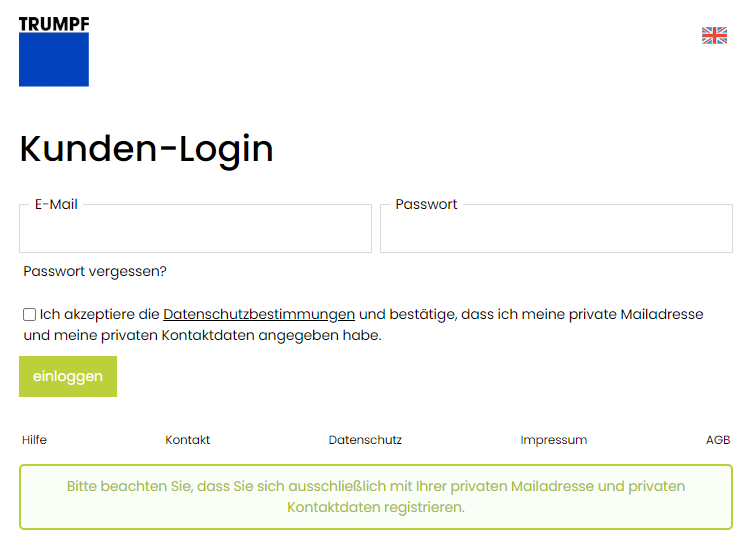
Complete the process by clicking the "log in" button. You will then be redirected to the registration page where you will create a user account with your private contact details. Please also assign yourself a password of your own choice.
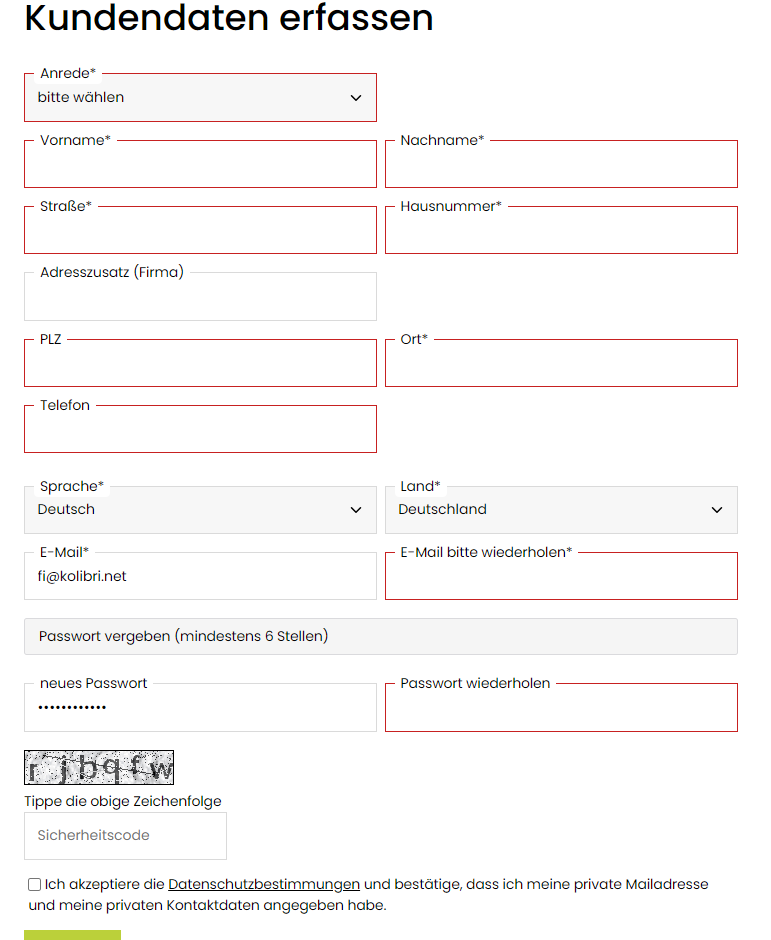
Once you have clicked on "save", you will receive an email with the subject "Welcome". You can then log in to the store with your self-assigned access data.
Log in
To log in, please enter your email and password and accept the privacy policy including the notice that you have entered your private email address and private contact information.
You forgot the password?
Go to the customer login page and click on "Forgot your password? Please enter your email address here and accept the privacy policy. Then select "Submit" to request a new password.
If your e-mail address was found by the system, you will receive a new password immediately after submitting the password request. You should change this password after logging in on the "My account" page under "Data / Change settings".
If you have any difficulties, please feel free to contact the KOLIBRI Full Service team.
Manage shipping addresses
You have several addresses to which you regularly deliver? For this we have created the option to manage multiple delivery addresses.
In the order process, you can create different delivery addresses on the "Address and delivery" page.

Here you can select already created shipping addresses or add a new one.

By clicking on "My account" (button see below) you will get to your personal data.

Here you have the possibility to view the already created delivery addresses.

Article information (prices, VPE, call article and put it into the shopping cart etc.)
Get to item details
By clicking on "view", you will be shown a detailed article description. You will also find all variants (sizes, colors, etc.) as well as the packaging units (PU) and the prices.
In addition, you will find a size chart for all textiles to determine your ideal fit.


Add item to shopping cart
Enter the desired order quantity in the input field and then click on the shopping cart icon. Please note that the quantity must be entered in pieces. If you enter an incorrect quantity, you will receive an error message. Alternatively, you can also enter the quantities using the + and - controls.
The prices are indicated per piece and per VPE and are exclusive of VAT.

Place order
Click on the shopping cart icon in the upper right corner to go to the shopping cart.

In the shopping cart you can see all the items you have added to the cart.

You will also be able to select the country of delivery and the amount of freight charges incurred, will also be displayed.
Click the button "next step" so that you get to the next page "Address and delivery" in the store.
On this page you enter your billing address and if available the different delivery address.

When you then proceed to the "next step", you will be shown the "Payment method and shipping" page.
Here shipping by GLS and payment by invoice is already predefined and you do not have to select anything.
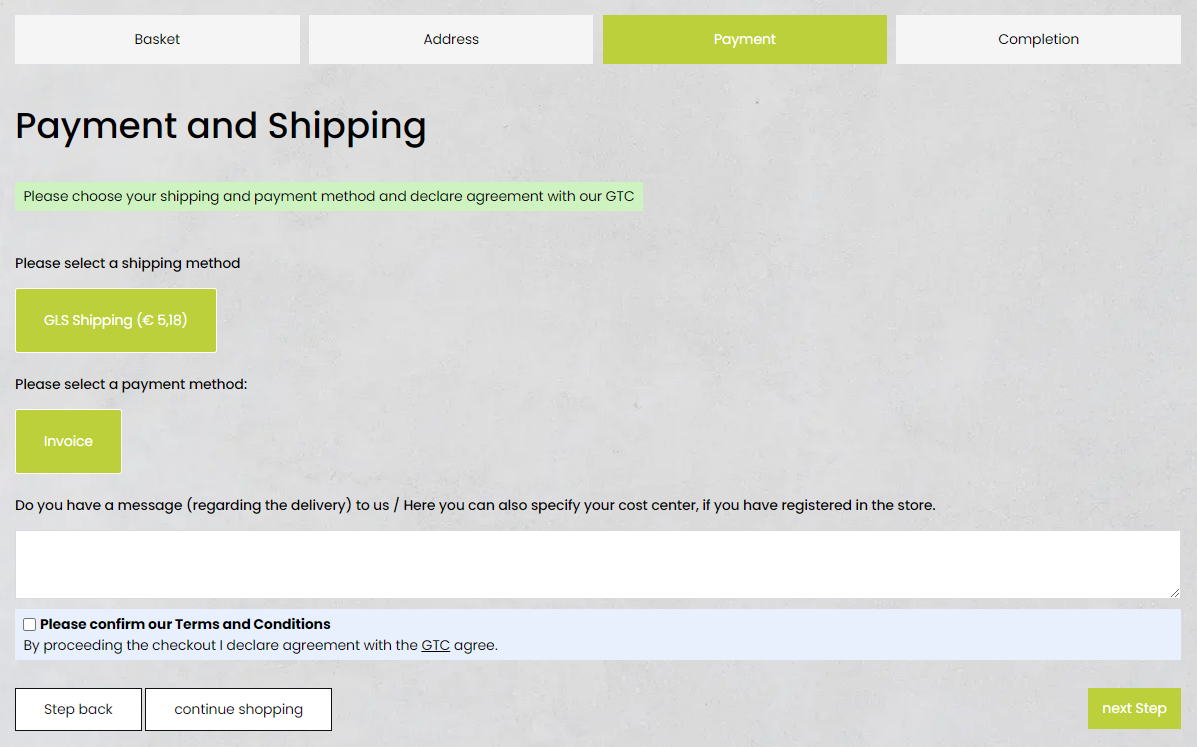
After confirming the privacy policy, you will be taken to the control page.
Please check all entries again here and then complete your order by clicking on "order with obligation to pay".
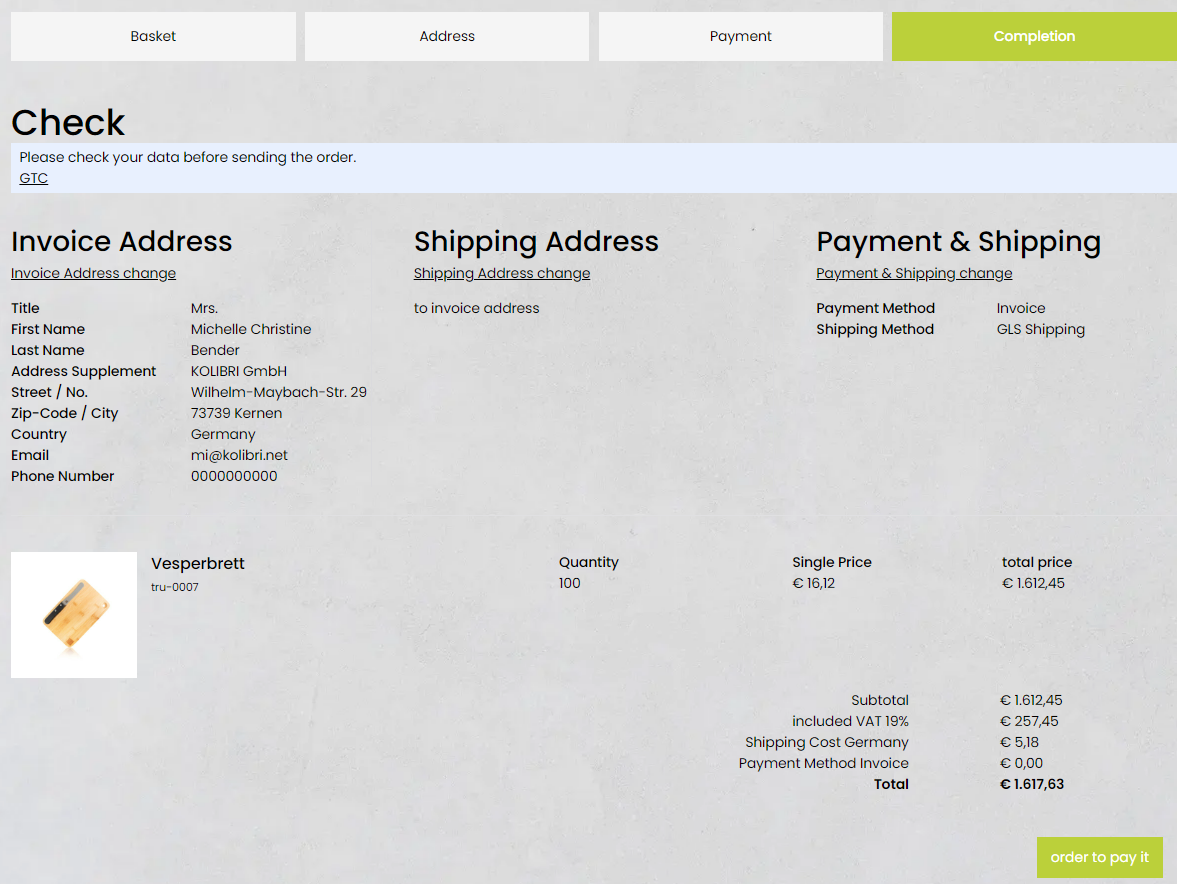
Within a few minutes you will receive an order confirmation to your stored e-mail address.
Shipping methods / Freight charges / Payment methods
Delivery times
Shipping within Germany
Shipping usually takes place within 1 to 3 business days after receipt of the order (if the desired items are in stock).
EU or outside Germany
Depending on the country of delivery, delivery takes approx. 1 to 3 weeks after receipt of order.
Freight charges are calculated according to the country of delivery, volume and weight of goods.
Return / Exchange
Please note that the customer bears the return shipping costs himself.
If you want to return or exchange some articles, please send back the package with a copy of the delivery note to following address:
PROWERB Werbe- und Versandservice GmbH
c/o Kolibri
Huissener Strasse 7-9
47533 Kleve